CRM Automation for Small Businesses: A Complete Guide for 2026
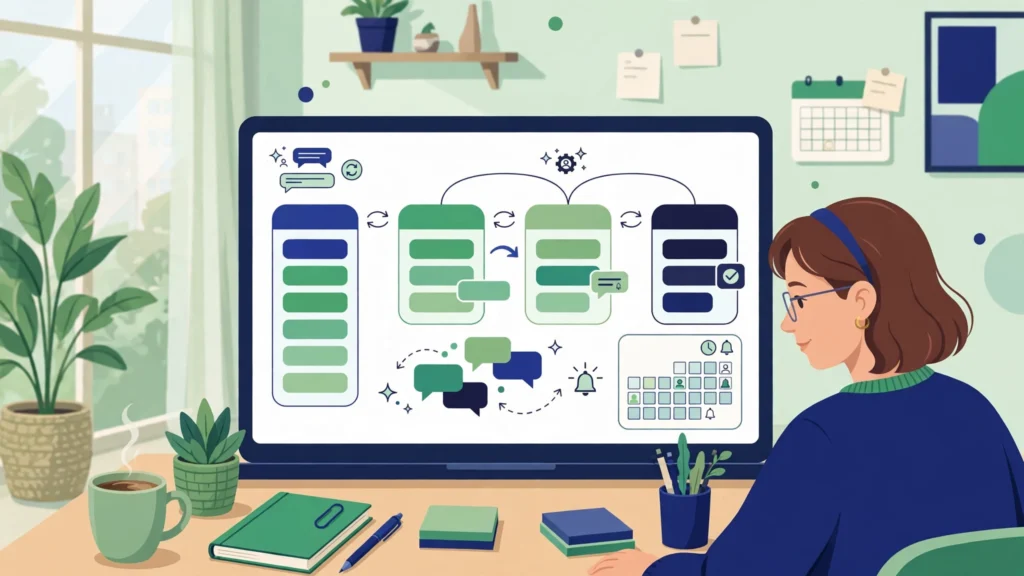
Quick Answer: CRM automation uses software to handle repetitive customer tasks without manual work. For a small business, it captures leads, sends follow-ups, updates pipelines, books appointments, and requests reviews automatically. The result is faster response times, fewer missed leads, and more sales from the same team, usually starting at $97 to $300 per month.
Key Takeaways
- CRM automation moves lead capture, follow-up, pipeline updates, reminders, and review requests into software.
- Small businesses lose the most money on slow follow-up. Automation fixes that by responding to new leads within minutes, every time.
- A practical setup costs $97 to $300 per month, and GoHighLevel covers CRM, follow-up, booking, and reviews in one platform.
- Start with three automations: instant lead capture, a five-touch follow-up sequence, and automatic appointment reminders.
- Automation works best on clean data, so standardize tags and pipeline stages before you build anything complex.
Every small business owner knows the feeling. A lead fills out the contact form on Monday, nobody replies until Wednesday, and by then the customer has hired someone else. Or a quote goes out, the follow-up never happens, and a job worth $2,000 quietly disappears. This is a systems problem, and CRM automation is the fix.
CRM automation means your customer relationship management software does the repetitive work for you. It captures leads, sends the first reply, moves deals through your pipeline, reminds customers about appointments, and asks for reviews. In this guide, you will learn what it is, what it can do, what it costs in 2026, and how to set it up.
What Is CRM Automation?
CRM automation is the use of software rules and workflows inside a CRM to complete repetitive customer tasks without manual effort. When a trigger happens, such as a form submission or a missed call, the CRM runs a predefined action, such as sending a text, creating a task, or moving a deal to the next stage.
A normal CRM is a filing cabinet. It stores contacts and deal stages, but a person still has to open it and update it. An automated CRM acts the moment something happens.
For example, when a homeowner in Austin, Texas fills out a “Get a Free Quote” form at 9:40 p.m., an automated CRM can instantly text back, add the lead to the pipeline, and assign it to the right team member.
CRM automation is not the same as marketing automation, although the two overlap. Marketing automation focuses on campaigns and lead nurturing. CRM automation covers the full customer journey, including follow-up, pipeline management, booking, and post-sale check-ins. For a small business, the CRM is the right place to start, because it touches every customer interaction. See our workflow automation guide for small businesses.
Why Does CRM Automation Matter for Small Businesses?
CRM automation matters for small businesses because small teams lose deals to slow follow-up, forgotten tasks, and messy data, not to a lack of leads. Automation removes those failure points, so a team of two or three can respond and follow up like a team of ten.
Most small businesses do not have a sales department. The owner answers the phone, the office manager chases quotes, and the technician is on the road. In that setup, follow-up slips first. A lead waits two days for a reply, a quote sits unsent, a past customer never hears from the business again.
- Speed: New leads get an instant reply by text or email, even outside business hours. Speed decides whether a lead books with you.
- Consistency: Every lead gets the same follow-up sequence, so results stop depending on who is on shift.
- Clean data: Contacts, tags, and stages update themselves, so reports become trustworthy.
- Time back: Hours spent on data entry and reminders go back to selling and service.
What Can You Automate in Your CRM?
You can automate lead capture, instant replies, follow-up sequences, pipeline updates, appointment booking and reminders, missed call text-back, review requests, invoicing reminders, and reactivation campaigns for old leads and past customers, so the routine work happens without anyone lifting a finger.
| Automation | What It Does | Business Impact |
|---|---|---|
| Lead capture | Pulls form, ad, and chat leads in instantly | No lead is lost in an inbox |
| Instant reply | Replies by text or email within seconds | Faster response, more bookings |
| Follow-up sequence | Sends timed texts and emails over 7 to 14 days | Quotes get answered |
| Pipeline updates | Moves deals between stages when actions happen | Accurate pipeline |
| Appointment reminders | Reminds customers 24 hours and 1 hour before booking | Fewer no-shows |
| Missed call text-back | Texts callers back when a call is missed | Recovers leads that would leave |
| Review requests | Asks happy customers for a Google review | More 5-star reviews |
| Reactivation | Messages old leads and past customers to win them back | Revenue from contacts you own |
The first three rows cover the first 24 hours after a lead arrives, where most small businesses leak money.
How Do You Set Up CRM Automation for a Small Business?
To set up CRM automation, pick one CRM, clean up your contacts and pipeline stages, connect your lead sources, then build three core workflows first: instant lead capture with an auto-reply, a five-touch follow-up sequence, and automatic appointment reminders. Test each workflow with a real lead before adding more.
Step 1: Choose one CRM and commit to it
Pick a single CRM that fits your budget and industry. For most US small businesses, GoHighLevel is the strongest choice because it combines the CRM, follow-up, calendars, funnels, and review tools in one subscription, starting at $97 per month. Switching CRMs later is painful, so choose carefully once. Our guide on how to choose the right CRM can help.
Step 2: Clean your data before you automate
Automation multiplies whatever is already in your CRM. If your contacts are full of duplicates, automation will just create that mess faster. Remove duplicates and define clear stages first.
Step 3: Connect every lead source
Connect your website forms, Facebook ads, Google Business Profile, and booking pages to the CRM, so every lead lands in one place.
Step 4: Build the instant reply workflow
Create a workflow that triggers on every new lead: send a text within one minute, send a short email with what happens next, create a task for the owner to call, and move the deal to the “New Lead” stage. Keep it short and human: “Hi Sarah, thanks for reaching out to Bright Smile Dental. We will call you tomorrow.”
Step 5: Build the five-touch follow-up sequence
Most leads do not reply to the first message. Reach out on day 1 (text), day 2 (email), day 4 (text), day 7 (call plus text), and day 12 (email). Stop the sequence the moment the lead replies or books.
Step 6: Add appointment reminders and missed call text-back
Set reminders for 24 hours and 1 hour before every appointment, and add a missed call text-back so every unanswered call gets a text within two minutes. See our guide to automating appointment reminders in GoHighLevel.
Step 7: Test, measure, then expand
Run each workflow with a test contact before it goes live. Then watch response time, reply rate, show rate, and deals closed for two weeks.
How Much Does CRM Automation Cost in 2026?
CRM automation costs $97 to $300 per month for most small businesses in 2026 on an all-in-one platform like GoHighLevel, which includes the CRM, workflows, calendars, and review tools. Separate tools usually cost $200 to $500 per month, plus $500 to $2,500 setup if a specialist builds it.
| Option | Monthly Cost | What You Get | Best For |
|---|---|---|---|
| GoHighLevel Starter | $97 | CRM, workflows, calendars, funnels, reviews | Solo owners and small teams |
| GoHighLevel Unlimited | $297 | Everything in Starter, unlimited sub-accounts | Agencies and multi-location businesses |
| HubSpot Starter | From $20 per seat | CRM plus basic automation | Businesses already on HubSpot |
| Zoho CRM Standard | From $14 per user | CRM with workflow rules and email | Budget-conscious teams |
The subscription is only half the cost picture. An owner can set up the three core workflows in a weekend using GoHighLevel’s built-in templates, while hiring a specialist to build a complete system typically costs $500 to $2,500 as a one-time project. Compare that to doing nothing: one lost customer per month often costs more than a full year of the software.
Which CRM Is Best for Automation?
The best CRM for automation for most small businesses is GoHighLevel, because it includes the CRM, workflows, texting, email, calendars, funnels, and reputation tools in one platform, so automations work across the whole customer journey without extra integrations. HubSpot suits larger teams that need deep reporting, Zoho suits tight budgets, and Pipedrive suits teams that want a simple builder.
The deciding factor is not which CRM has the most features. It is which one your team will actually use every day. A CRM with perfect automation that nobody opens is worth less than a simple one the whole team lives in. See our guide to what GoHighLevel is and the GoHighLevel setup guide.
What Mistakes Should You Avoid with CRM Automation?
The most common CRM automation mistakes are automating before cleaning your data, sending too many messages, using robotic copy, building too many workflows at once, and never checking whether the automations work. Each one is easy to avoid if you start small and review results weekly.
- Automating a mess: Bad data in, bad automation out. Clean your data first.
- Over-messaging: Five touches over two weeks is follow-up. Five messages in two days is spam. Space them out and stop when a lead replies.
- Robotic copy: If a message reads like a robot wrote it, customers ignore it. Write like a human and keep it short.
- Building everything at once: Ten half-finished workflows help nobody. Build three, test them, add one at a time.
- Set and forget: Automations break when tools change. Check reply rates and failed runs weekly.
- No human handoff: Automation should start the conversation, not replace it. When a lead shows interest, a human should take over.
A Realistic Example: A Plumbing Company in Texas
Consider a small plumbing company in Houston with three technicians and one office manager. Before automation, leads from the website and Google ads went to a shared inbox. The office manager checked it between calls, so replies took four to six hours, and one in three callers never called back.
After setting up CRM automation in GoHighLevel, every web lead got an instant text reply, missed calls triggered a text within two minutes, every quote started a five-touch follow-up sequence, and every completed job triggered a Google review request. Nothing about the plumbing work changed. What changed was that no lead waited hours for a reply, no missed call went unanswered, and no quote died in silence. This is a realistic example, not a case study with measured results.
Frequently Asked Questions
What is CRM automation in simple terms?
CRM automation is software doing repetitive customer tasks for you. When a lead fills out a form, the CRM can reply instantly, add the lead to your pipeline, and schedule a follow-up.
Is CRM automation worth it for a very small business?
Yes, it is often worth it most for very small businesses, because they have the least time to waste on manual follow-up. Even five to ten leads a month is enough for automation to pay for itself.
What is the difference between CRM automation and workflow automation?
CRM automation focuses on customer tasks inside your CRM, such as lead follow-up, pipeline updates, and appointment reminders. Workflow automation is broader, covering any repeated business process, whether or not it involves the CRM.
Can I automate my CRM without technical skills?
Yes. Modern CRMs like GoHighLevel use visual workflow builders where you drag triggers and actions into place, and they include templates for common setups. Most owners can build the three core workflows in a weekend, without writing code.
Will CRM automation make my business feel impersonal?
Only if it is set up badly. Good automation uses the customer’s name, keeps messages short and human, and hands the conversation to a real person when the customer shows interest.
How long does it take to set up CRM automation?
A basic setup with lead capture, an instant reply, and a follow-up sequence takes one weekend. A complete system with booking, reminders, review requests, and reactivation takes two to four weeks.
Conclusion
CRM automation is not a luxury for big companies. It is the system that lets a small business answer every lead fast, follow up every quote, fill its calendar, and collect reviews, without hiring extra staff. Start with one CRM, clean your data, connect your lead sources, and build three workflows: instant reply, five-touch follow-up, and appointment reminders.
If you want a CRM automation system built for your business, including GoHighLevel setup, follow-up workflows, booking automation, and review requests, book a free consultation.